


Hi Dayang! What’s the latest innovation the production team has been working on to make e-learning development faster and more efficient?
A few years ago, AI Trainers mainly served as digital presenters. They could read scripts, perform lip-sync, and appear on screen, but their movements remained limited. Most avatars adopted fixed poses with only subtle facial expressions, resembling talking images rather than real instructors.
Today, learners expect a more natural experience. They frequently watch content on platforms like YouTube, LinkedIn Learning, and TikTok, where presenters move fluidly, change camera angles, and engage with their surroundings. To meet these expectations, Content Tree created the Production AI Assistant.
Instead of relying on a single AI platform, the Production AI Assistant integrates multiple AI-powered production tools into one cohesive workflow. Each tool handles a specific task—from generating AI Trainers and creating A-rolls with characters to producing realistic movements, editing scenes, enhancing voice quality, and assembling complete videos.
As a result, learners enjoy a modern experience that closely resembles professionally produced videos rather than traditional e-learning formats.
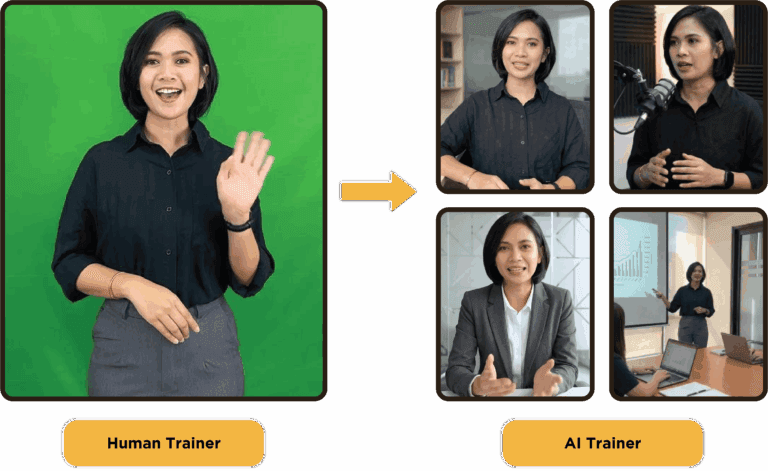
What distinguishes the previous generation from the new Production AI Assistant?
In the past, generating an AI Trainer followed a linear workflow. We uploaded a script, generated lip-sync, and placed the presenter into the course. While effective for many projects, the range of expressions, gestures, and camera movements was limited. Now, with the Production AI Assistant, we create not just avatars but entire AI-driven video scenes.
The workflow can automatically assist with various tasks:
- AI Trainer generation
- Voice Cloning
- Video Plan
- Scene planning
- Script generation and refinement
- Camera angles
- A-Roll generation
- B-Roll generation
- Background enhancement
- Cinematic transitions
- Voice enhancement
- Animation refinement
Instead of creating isolated talking-head videos, we can now develop content that resembles modern social media videos or professional training productions.
The result is an AI Trainer that feels significantly more engaging and natural for learners.
Can you show us how the Production AI Assistant works?
Certainly! One of the primary advantages is that our workflow mirrors the production processes used by professional video creators.
It starts with a raw video recording of a presenter. Our Production AI Assistant then transforms this recording into a realistic AI Trainer while cloning the presenter’s voice for a natural and consistent delivery.
Depending on project needs, the workflow can take two different paths. For rapid content production, the system automatically generates a Video Plan that includes proposed scenes, narration, A-Roll, and B-Roll.
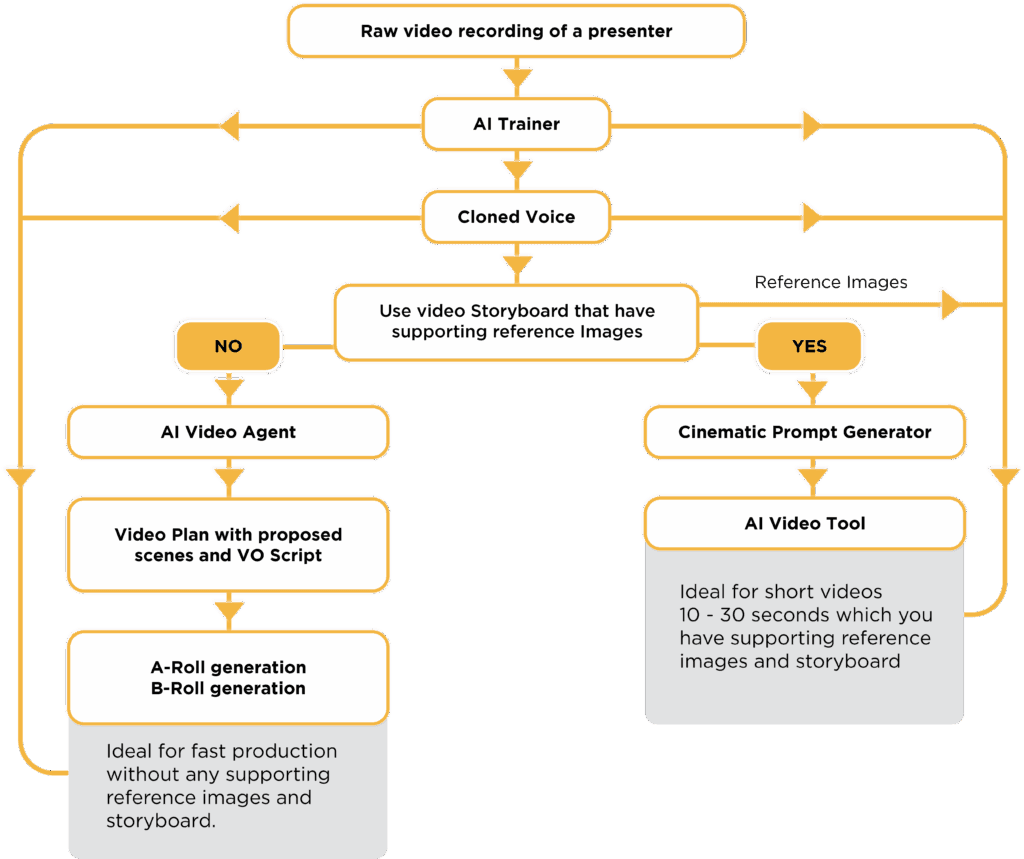
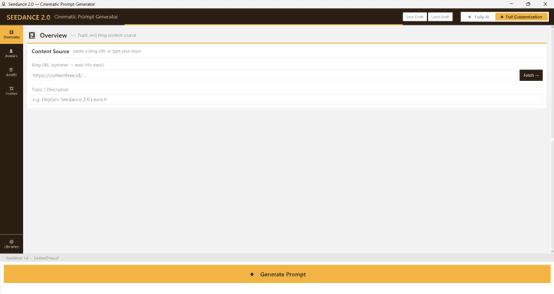
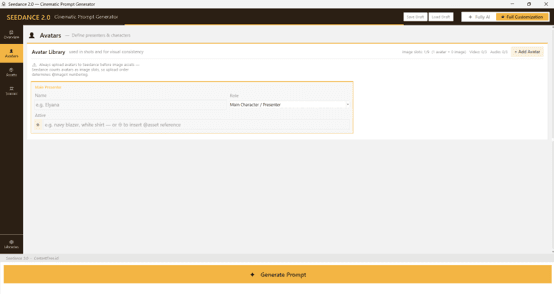
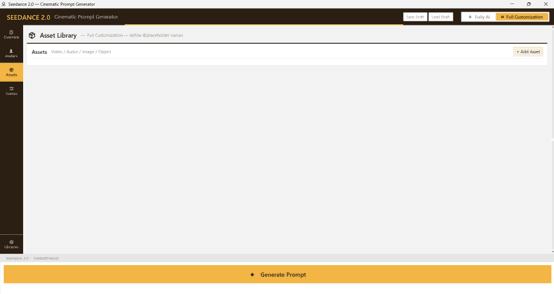
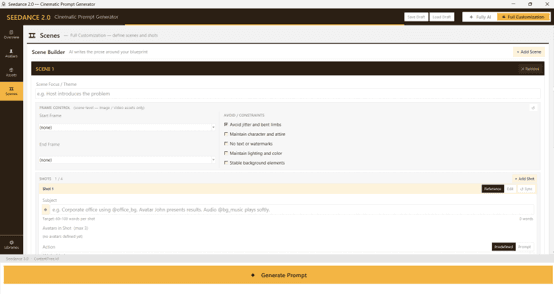
For projects that already have a storyboard and supporting reference images, our Cinematic Prompt Generator workflow uses those creative assets to produce highly polished AI-generated video scenes with greater visual control.
Throughout the process, our production team can easily refine scripts, regenerate scenes, replace supporting B-Roll footage, enhance animations, improve voice quality, and make creative adjustments before assembling everything into the final learning video.
Instead of using multiple disconnected production tools, our team manages the entire workflow through an AI-assisted production pipeline. This approach not only accelerates development but also enables us to deliver consistent, high-quality learning experiences at scale.
Cinematic Prompt Generator Screens:
You mentioned A-Roll and B-Roll earlier. How does that improve an e-learning course?
Traditional e-learning videos typically feature an AI presenter speaking continuously on screen. While this approach can be effective, learners may lose focus if the visual presentation does not change.
The Production AI Assistant enables us to integrate A-Roll and B-Roll, a technique commonly used in professional video production.
A-Roll refers to the main presenter or AI Trainer delivering the lesson, while B-Roll includes supporting visuals such as animations, interface demonstrations, illustrations, diagrams, workplace footage, or cinematic scenes that reinforce the presenter’s explanations.
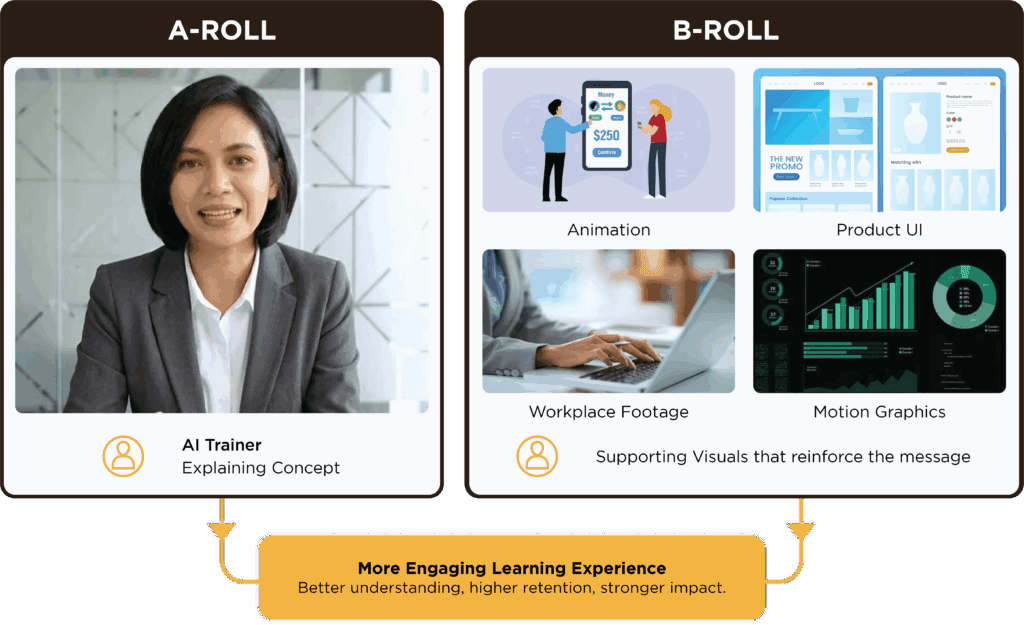
By automatically planning and generating supporting visuals, learners receive visual context precisely when needed. Consequently, the content feels more dynamic, easier to comprehend, and closely aligns with the style of modern online learning platforms.
As we wrap up, what does Production AI Assistant mean for the future of e-learning?
We view the Production AI Assistant as more than just another AI tool. It represents a new production methodology that merges multiple AI technologies into a single creative workflow.
As AI continues to advance, we will expand this workflow with improved animation, smarter scene generation, more natural AI Trainers, and even richer interactive learning experiences.
Ultimately, our goal extends beyond simply accelerating development. We aim to assist organizations in creating e-learning that appears modern, engages learners, and achieves better learning outcomes.